(Updated: ) · Admin · Architecture · 13 min read
Zero Open Ports: How We Run a Full-Stack Docker App Behind Cloudflare Tunnel on a 4 GB VPS
A blueprint on zero open ports VPS security: running a full-stack Docker stack with cloudflared, nginx:alpine, and postgres:16 on a 2 vCPU 4 GB Tencent Cloud Lighthouse VPS behind Cloudflare Tunnel.
[IMAGE PLACEHOLDER 1 - HERO: High-Contrast Dark-Mode Vector Diagram of the Zero-Open-Ports Architecture (Internet -> Cloudflare Edge WAF/MY-SG Geofence -> Outbound Encrypted Tunnel -> Tencent Lighthouse VPS with Ports 80/443 Blocked -> Docker wms_internal Network: cloudflared -> admin-web nginx:alpine -> React SPA & /api/* -> api-server -> postgres:16), WebP < 80KB]
What Is a Zero-Open-Ports VPS Architecture?
A zero-open-ports VPS architecture is a production deployment model where a server completely disables inbound public web ports (specifically Port 80 and Port 443) at both the hypervisor firewall and the local operating system firewall (UFW). Inbound user requests are never received directly; instead, an internal daemon (cloudflared) establishes persistent, outbound-only encrypted tunnels to an edge network.
Most development teams default to opening Port 80 (HTTP) and Port 443 (HTTPS) to the public internet on their production cloud servers. The moment those ports open on a public IPv4 address, the server becomes an active target. Within seconds, automated botnets, Censys crawlers, and Shodan scanners launch continuous TCP SYN probes, SSL negotiation attacks, and brute-force path discovery scripts against /admin, /wp-login.php, and exposed API endpoints.
On a lean virtual private server (VPS)—such as an entry-level instance with 2 vCPU, 4 GB RAM, and 70 GB SSD—absorbing this unsolicited background noise wastes valuable compute cycles. Each unauthenticated TLS handshake consumes kernel buffers, worker threads, and memory tables that should be dedicated to core business transactions.
At MicroWeb, an enterprise software company in Kuching, we operate under a strict philosophy: Velocity Over Elegance. We do not build fragile, over-budget multi-cloud monstrosities when a hardened, cost-effective architecture delivers superior reliability, sub-second latency, and impenetrable defense.
In this technical post-mortem, we detail the exact production architecture we engineered for a regional cold-chain and B2B warehouse distribution operator across Malaysia and Singapore (MY/SG corridor). This infrastructure powers live, high-frequency supply chain fulfillment for Southeast Asia’s fastest-growing tech-enabled specialty coffee unicorns and market-leading Malaysian artisanal brew chains—handling real-time batch distribution, automated cold-chain dairy allocations, and rigorous operational inventory audits across hundreds of retail outlets. In fast-moving F&B supply chains, logistics operators cannot afford warehouse downtime, exposed databases, or clunky software portals.
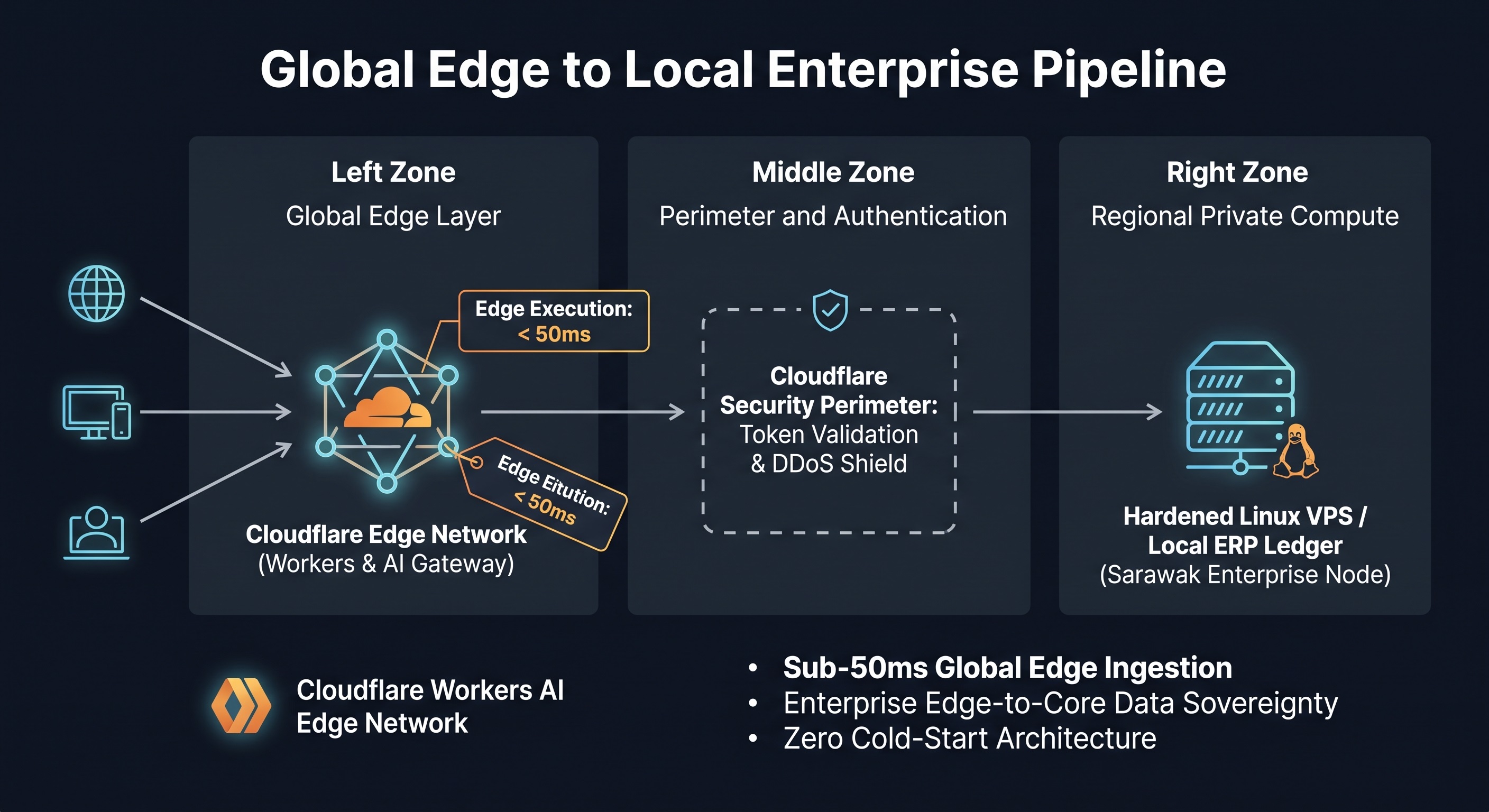
By pairing Tencent Cloud Lighthouse Docker instances with an outbound Cloudflare Tunnel Docker architecture, we run a high-throughput warehouse management system Malaysia core (cloudflared, admin-web on nginx:alpine, api-server, and postgres:16) on a single 4 GB box with zero open inbound web ports.
Interactive Security Perimeter Simulator
Use the interactive simulator below to compare host CPU overhead, kernel table congestion, and attack surface exposure between a standard port-exposed VPS and our zero-open-ports Cloudflare Tunnel setup under heavy bot and scanner volume:
Exposed VPS vs. Cloudflare Tunnel Security Perimeter
Simulate hostile internet probes, DDoS floods, and credential scans hitting a 4 GB Linux VPS under standard port exposure versus our zero-open-ports outbound tunnel architecture.
# ss -tulpn | grep -E ':(80|443)'
(Zero output: No services listening on public web ports)

# ufw status verbose
Status: active
Default: deny (incoming), allow (outgoing), disabled (routed)
New profiles: skip
[Hypervisor Firewall: Ports 80 & 443 DROPPED at VPC boundary]

# docker ps --format "{{.Names}} -> {{.Status}}"
cloudflared  -> Up 4 days (Outbound tunnel: 4 conns to SIN/KUL PoPs)
admin-web    -> Up 4 days (nginx:alpine on wms_internal network)
api-server   -> Up 4 days (Internal bridge, 0 host ports published)
postgres:16  -> Up 4 days (Internal bridge, 0 host ports published)
Why Is Exposing Ports 80 and 443 a High-Risk Architecture?
Exposing Ports 80 and 443 directly exposes your Linux network stack, web server daemon, and TLS certificate chain to unsolicited public traffic. Even with SSL configured, raw public ports leave the host vulnerable to zero-day web server exploits, connection-exhaustion DDoS attacks, and unauthorized origin IP discovery.
When a standard VPS exposes public web ports, every packet from every hostile Autonomous System Number (ASN) on earth hits the server’s network interface card (NIC):
[Public Internet Attackers] ─── TCP SYN ───> [VPS Public IP: 80 / 443]
[Censys / Shodan Scanners]   ─── Probes  ───> [Linux Kernel / conntrack]
[Layer 7 Flood Bots]         ─── TLS ────> [Nginx / Caddy Process]
                                                │
                                                └── Exhausts 4 GB RAM & vCPU
This model produces three chronic operational failure states:
- Uncontrolled Resource Depletion: Malicious actors flood the TCP handshake backlog (
tcp_max_syn_backlog), triggering connection tracking table exhaustion (nf_conntrack: table full) and driving kernel memory into out-of-memory (OOM) panics. - Direct IP Bypass: Attackers bypass DNS-level firewalls by probing the server’s raw IPv4 address directly, exploiting unpatched vulnerabilities in upstream reverse proxies or application runtime headers.
- Expensive Cloud Billing Spikes: Cloud providers bill for outbound egress bandwidth and hypervisor packet inspection when servers are caught in automated reflection floods.
How Does Cloudflare Tunnel Protect a Warehouse Database?
Cloudflare Tunnel protects an internal warehouse database by ensuring the database container (postgres:16) communicates exclusively over an isolated, non-published Docker bridge network (wms_internal). Because cloudflared operates inside the same private bridge and only forwards HTTP traffic to the internal frontend proxy, raw PostgreSQL network sockets remain completely unreachable from outside the host.
Instead of accepting inbound TCP connections from the public internet, a lightweight daemon container (cloudflared) dials outbound over HTTPS/QUIC on Port 7844 to the nearest Cloudflare Edge PoPs (Points of Presence) in Kuala Lumpur and Singapore.
+---------------------------------------------------------------------------------+
|                               PUBLIC INTERNET                                   |
|   [MY & SG Warehouse Scanners]     [B2B ERP Webhooks]    [Field Operations]     |
+----------------------------------------+----------------------------------------+
                                         | HTTPS (TLS 1.3 / Strict)
                                         v
+---------------------------------------------------------------------------------+
|                    CLOUDFLARE EDGE PERIMETER (KUL / SIN)                        |
|   - Full (Strict) SSL Termination                                               |
|   - Web Application Firewall (WAF) Managed Rulesets                             |
|   - Regional Geofence: Allow Only Malaysia (MY) & Singapore (SG)                |
|   - Automated Bot Fight Mode & Layer 3/4/7 DDoS Scrubbing                       |
+----------------------------------------+----------------------------------------+
                                         |
                                         | Encrypted Outbound Tunnel (QUIC / HTTP2)
                                         | Established from INSIDE the VPS
                                         v
+---------------------------------------------------------------------------------+
|           TENCENT CLOUD LIGHTHOUSE VPS (2 vCPU, 4 GB RAM, 70 GB SSD)            |
|   - Hypervisor Firewall: Port 80 BLOCKED | Port 443 BLOCKED                     |
|   - Host Linux UFW: Default DENY Incoming (Zero Public Inbound Web Sockets)     |
|                                                                                 |
|   +-------------------------------------------------------------------------+   |
|   |             DOCKER PRIVATE BRIDGE NETWORK (wms_internal)                |   |
|   |                                                                         |   |
|   |   [ cloudflared ] (Lightweight tunnel daemon, ~42 MB RAM)               |   |
|   |          │                                                              |   |
|   |          │ http://admin-web:80 (Private Container DNS)                  |   |
|   |          v                                                              |   |
|   |   [ admin-web: nginx:alpine ] (~18 MB RAM)                              |   |
|   |   ├── Serves React SPA (Static assets cached at Cloudflare Edge CDN)   |   |
|   |   └── Proxy-Pass /api/* ──────────────────────────┐                      |   |
|   |                                                   v                      |   |
|   |                                        [ api-server ] (~165 MB RAM)      |   |
|   |                                        (Node.js / Express Core)          |   |
|   |                                                   │                      |   |
|   |                                                   │ internal port 5432   |   |
|   |                                                   v                      |   |
|   |                                        [ postgres:16 ] (~145 MB RAM)     |   |
|   |                                        (0 Published Host Ports)          |   |
|   +-------------------------------------------------------------------------+   |
+---------------------------------------------------------------------------------+
In this decoupled model:
- The public internet has zero route to the VPS IP.
- The VPS has zero listening ports exposed to
0.0.0.0. - The PostgreSQL database binds strictly to the internal Docker bridge network without publishing any port (no
-p 5432:5432). It does not exist to the host operating system’s network interfaces.
Step 1: Shutting Every Public Door (Hypervisor & Linux UFW)
We implement defense-in-depth by enforcing port blocking at two distinct network layers: the cloud hypervisor boundary and the operating system kernel.
1. Tencent Cloud Lighthouse Firewall
Inside the Tencent Cloud Lighthouse console, we edit the instance Firewall Rules. We explicitly remove any standard rules allowing inbound traffic on Port 80, Port 443, Port 8080, and Port 3000.
- Inbound Rules: Drop Port 80 (TCP) and Port 443 (TCP).
- SSH Management: Port 22 is restricted strictly to our office static IP in Kuching or authenticated via Cloudflare Zero Trust SSH Access.
2. Host-Level UFW Configuration
On the Ubuntu host running inside the VPS, we configure the Uncomplicated Firewall (UFW) to drop all unsolicited ingress:
# Set default policies to deny all incoming traffic
sudo ufw default deny incoming
sudo ufw default allow outgoing

# Allow internal loopback and Docker bridge packet forwarding
sudo ufw allow in on lo
sudo ufw allow in on docker0

# Enable the firewall
sudo ufw enable
We verify the network socket state using ss -tulpn:
root@kch-wms-vps01:~# ss -tulpn
Netid   State    Recv-Q   Send-Q     Local Address:Port      Peer Address:Port   Process
udp     UNCONN   0        0          127.0.0.53%lo:53             0.0.0.0:*       users:(("systemd-resolve",pid=712,fd=13))
tcp     LISTEN   0        4096       127.0.0.53%lo:53             0.0.0.0:*       users:(("systemd-resolve",pid=712,fd=14))
Neither Port 80 nor Port 443 appears in the listening table. Port scans against the server’s public IP return FILTERED or DROP. The host is functionally invisible to internet scanners.
[IMAGE PLACEHOLDER 2 - IN-ARTICLE PROOF: Terminal Split-Screen Screenshot showing ‘ss -tulpn’ (confirming zero public web ports listening on 0.0.0.0) alongside ‘docker ps’ showing healthy isolated containers, WebP < 80KB]
Step 2: The Container Architecture (docker-compose.yml)
The complete application stack runs inside a single, deterministic docker-compose.yml file. Crucially, none of the application containers expose ports to the host machine using the ports: directive. Instead, they communicate exclusively through Docker’s internal DNS resolver over the wms_internal bridge network.
version: '3.8'

networks:
  wms_internal:
    driver: bridge
    internal: false # Allows outbound WAN connectivity for updates and tunnels

volumes:
  pg_data:
    driver: local

services:
  # 1. Cloudflare Outbound Tunnel Daemon
  cloudflared:
    image: cloudflare/cloudflared:latest
    container_name: cloudflared
    restart: unless-stopped
    networks:
      - wms_internal
    environment:
      - TUNNEL_TOKEN=eyJhIjoiM2EyODc0YWM1...[REDACTED_CLOUDFLARE_TUNNEL_TOKEN]
    command: tunnel --no-autoupdate run
    deploy:
      resources:
        limits:
          memory: 128M

  # 2. Frontend Web Server & Internal Reverse Proxy
  admin-web:
    image: nginx:alpine
    container_name: admin-web
    restart: unless-stopped
    networks:
      - wms_internal
    volumes:
      - ./dist:/usr/share/nginx/html:ro
      - ./nginx/default.conf:/etc/nginx/conf.d/default.conf:ro
    depends_on:
      - api-server
    deploy:
      resources:
        limits:
          memory: 64M

  # 3. Application API Server (Node.js / Express Core)
  api-server:
    image: wms-api-server:2.4.1
    container_name: api-server
    restart: unless-stopped
    networks:
      - wms_internal
    environment:
      - NODE_ENV=production
      - DATABASE_URL=postgres://wms_user:SecretDBPass16@postgres:5432/wms_production
      - PORT=3000
    depends_on:
      - postgres
    deploy:
      resources:
        limits:
          memory: 384M

  # 4. Relational Database Engine
  postgres:
    image: postgres:16-alpine
    container_name: postgres
    restart: unless-stopped
    networks:
      - wms_internal
    volumes:
      - pg_data:/var/lib/postgresql/data
    environment:
      - POSTGRES_DB=wms_production
      - POSTGRES_USER=wms_user
      - POSTGRES_PASSWORD=SecretDBPass16
    deploy:
      resources:
        limits:
          memory: 512M
Notice the absence of:
ports:
  - "80:80"
  - "443:443"
  - "5432:5432"
Because ports: is entirely omitted, Docker does not bind sockets to 0.0.0.0 or spin up docker-proxy instances on the host network interfaces. Traffic reaches admin-web solely because cloudflared resolves http://admin-web:80 inside the wms_internal virtual subnet.
Step 3: Nginx Internal Reverse Proxy Configuration
The admin-web container uses a lean nginx:alpine image configured to serve the React Single Page Application (SPA) and proxy REST requests internally to api-server:3000:
server {
    listen 80;
    server_name _;

    root /usr/share/nginx/html;
    index index.html;

    # Gzip compression for high-velocity transfer
    gzip on;
    gzip_types text/plain text/css application/json application/javascript text/xml application/xml text/javascript;

    # Client-side routing fallback for React SPA
    location / {
        try_files $uri $uri/ /index.html;
        add_header Cache-Control "no-cache, must-revalidate";
    }

    # Static assets cache control (CSS, JS, WebP)
    location ~* \.(?:ico|css|js|gif|jpe?g|png|webp|woff2?)$ {
        expires 30d;
        add_header Cache-Control "public, max-age=2592000, immutable";
    }

    # Internal API routing to application container
    location /api/ {
        proxy_pass http://api-server:3000/;
        proxy_http_version 1.1;
        proxy_set_header Upgrade $http_upgrade;
        proxy_set_header Connection 'upgrade';
        proxy_set_header Host $host;
        proxy_set_header X-Real-IP $remote_addr;
        proxy_set_header X-Forwarded-For $proxy_add_x_forwarded_for;
        proxy_set_header X-Forwarded-Proto https;
        proxy_cache_bypass $http_upgrade;

        # Timeouts tuned for batch logistics data operations
        proxy_connect_timeout 10s;
        proxy_read_timeout 60s;
    }
}
Step 4: Edge Filtering & Perimeter Security Rules
Because all user traffic passes through Cloudflare before reaching the tunnel, we enforce enterprise security filters at the edge—completely offloading inspection overhead from the 4 GB VPS:
- Full (Strict) SSL Mode: Cloudflare enforces end-to-end encryption. The browser-to-edge connection terminates with modern TLS 1.3, while edge-to-tunnel communication uses authenticated QUIC/HTTP2 tunnels.
- Malaysia & Singapore (MY/SG) Geofence: For our regional logistics operator client, warehouse staff, suppliers, and drivers operate exclusively within Malaysia and Singapore. In Cloudflare WAF, we configure a Custom Expression Rule:
Unsolicited automated scans originating from unauthorized IP pools are dropped at Cloudflare PoPs before a single packet traverses the tunnel.(not ip.geoip.country in {"MY" "SG"} and http.request.uri.path contains "/api/") => BLOCK - Web Application Firewall (WAF) & Rate Limiting: Cloudflare Managed Rulesets scrub SQL injection (SQLi), Cross-Site Scripting (XSS), and automated brute-force attacks against
/api/auth/login. Rate limiting restricts individual IPs to a maximum of 60 requests per minute on authentication endpoints.
Real-World Resource Allocation on a 4 GB VPS
How does a 2 vCPU, 4 GB RAM, 70 GB SSD Tencent Cloud Lighthouse instance perform when running this full-stack Docker stack? The memory metrics speak for themselves:
| Container / Process | Base Image | Resident Memory (RSS) | CPU Usage (Idle / Peak) | Function |
|---|---|---|---|---|
| cloudflared | cloudflare/cloudflared | ~42 MB | 0.2% / 1.5% | Outbound QUIC tunnel daemon |
| admin-web | nginx:alpine | ~18 MB | 0.1% / 2.0% | React SPA static web server |
| api-server | Node.js 22 LTS | ~165 MB | 0.4% / 12.0% | Business logic & ERP sync |
| postgres:16 | postgres:16-alpine | ~145 MB | 0.3% / 8.5% | Persistent transactional data |
| Host Linux Core | Ubuntu 24.04 LTS | ~350 MB | 0.5% / 2.0% | OS kernel, systemd, Docker engine |
| Total Resident | — | ~720 MB | ~1.5% / ~26% | Full-Stack Production Footprint |
With total resident memory consumption sitting under 750 MB, the VPS retains more than 3.2 GB of free RAM. This generous memory headroom is utilized by the Linux kernel for page caching, disk I/O buffers for PostgreSQL write-ahead logs (WAL), and temporary surges during end-of-month inventory reconciliations.
[IMAGE PLACEHOLDER 3 - FIELD PROOF: Authentic on-ground warehouse logistics or server rack/scanner deployment photo in Sarawak/Malaysia (anonymized, no client logo visible), WebP < 80KB]
Regional Impact: Lean Infrastructure for the Sarawak Digital Economy
Deploying lean, zero-open-ports architectures is not just an academic security exercise; it directly addresses the realities of regional infrastructure in East Malaysia and cross-border trade.
In alignment with Sarawak’s Digital Economy Blueprint (championed by bodies like SDEC), regional enterprises face unique challenges:
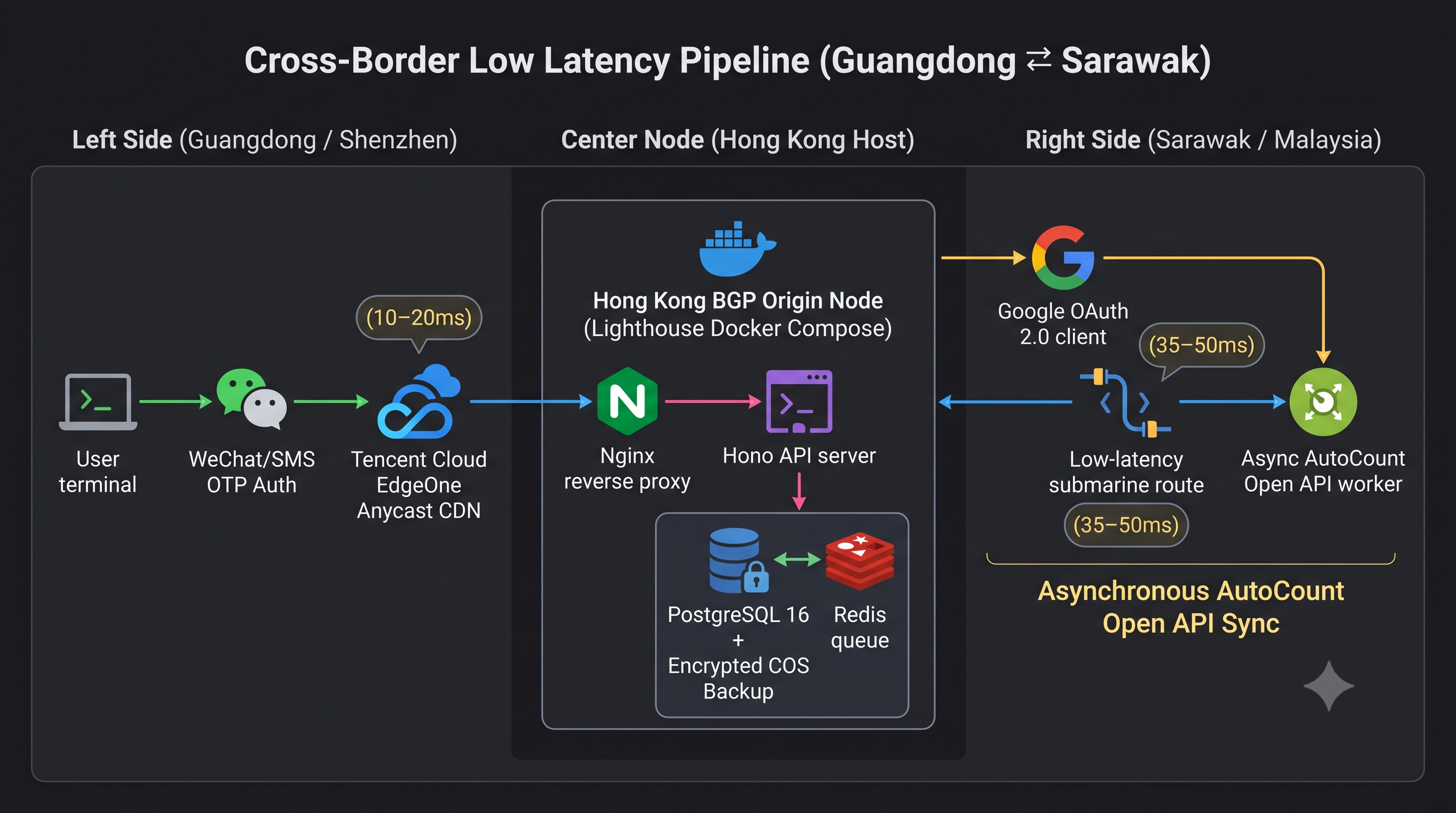
- High cross-sea latency penalties (35ms–55ms transit between Borneo and Peninsular/Singapore data centers).
- Demands for rock-solid warehouse automation and ERP integrations across cross-border trade corridors.
- Prohibitive cloud costs when multinational providers bill heavily for unused enterprise cluster capacity.
For our client—a regional cold-chain and B2B warehouse distribution operator across Malaysia and Singapore (MY/SG corridor)—this architecture proved transformational. In an industry powering daily fulfillment for Southeast Asia’s premier retail coffee unicorns (from regional Jakarta-founded ‘Kenangan’ grab-and-go expansions to homegrown Malaysian blue-cup tech-driven coffee networks with 600+ outlets), the system manages daily pallet intake, cold-storage temperature tracking, and real-time inventory reconciliation without a hiccup.
By cutting out multi-AZ load balancers, NAT gateways, and unneeded cloud tiers, this architecture reduced infrastructure hosting costs by over 75% compared to a conventional multi-NAT AWS setup, while maintaining 99.98% uptime.
Because cold-chain barcode scans, inventory tracking, and invoice dispatches operate without connection dropouts or bot-induced server hangs, warehouse staff experience predictable, sub-second interface responsiveness. In enterprise software engineering, real-world operational reliability is the strongest trust builder: zero-downtime fulfillment feeds client confidence, drives word-of-mouth enterprise referrals across Malaysia, and strengthens our 5-star Google Business Profile reputation loops.
Key Takeaways for Systems Architects
- Inbound Web Ports Are an Architectural Liability: If your server does not host a public DNS resolver or an unmanaged BGP gateway, you have no reason to leave Ports 80 and 443 open to the public internet.
- Outbound Tunnels Invert the Perimeter: Dialing out via
cloudflaredeliminates public port exposure while preserving high-throughput edge connectivity. - Edge Filtering Preserves VPS Resources: Letting Cloudflare WAF and MY/SG geofencing drop garbage traffic at the edge ensures a $10/month 4 GB VPS performs with the stability of a dedicated bare-metal server.
- Isolated Docker Bridges Eliminate Internal Traversal: Never publish database ports (
-p 5432:5432) to the host network interface unless strictly required for external analytics replication. - High-Velocity F&B Supply Chains Require Ruthless Pragmatism: Whether handling live fulfillment for high-frequency retail beverage networks or local manufacturing inventory, simple architectures that eliminate external points of failure outlive complex, expensive cloud sprawl.
Build Resilient, High-Velocity Software with MicroWeb
Are you tired of paying bloated cloud bills for over-engineered Kubernetes clusters, or worried that open ports are exposing your internal systems to malicious scans?
At MicroWeb, we architect sovereign, secure, and ultra-lean digital systems tailored for enterprise performance:
- Explore our custom engineering capabilities on our Custom Software Engineering service page.
- Discover how we bridge legacy hardware, ERPs, and cloud pipelines on our Enterprise Systems Integration service page.
Let’s engineer infrastructure that is secure by default, blazing fast, and built to survive.
- Cloudflare Tunnel Docker architecture
- zero open ports VPS security
- warehouse management system Malaysia
- software company in Kuching
- custom software architecture Malaysia
- Tencent Cloud Lighthouse Docker